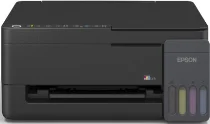
Epson EcoTank L3310 Drivers for Windows and macOS.
Supported Microsoft Windows Operating Systems
Windows 11
Windows 10 (32-bit and 64-bit)
Windows 8.1 (32-bit and 64-bit)
Windows 8 (32-bit and 64-bit)
Windows 7 (32-bit and 64-bit)
Windows Vista (32-bit and 64-bit)
Supported OS: Windows 10 32-bit, Windows 8.1 32-bit, Windows 8 32-bit, Windows 7 32-bit
Supported OS: Windows 11, Windows 10 64-bit, Windows 8.1 64-bit, Windows 8 64-bit, Windows 7 64-bit
Supported OS: Windows 11, Windows 10 32-bit and 64-bit, Windows 8.1 32-bit and 64-bit, Windows 8 32-bit and 64-bit, Windows 7 32-bit and 64-bit, Windows Vista 32-bit and 64-bit
Supported macOS Operating Systems
macOS Sequoia 15
macOS Sonoma 14
macOS Ventura 13
macOS Monterey 12
macOS Big Sur 11
macOS Catalina 10.15
macOS Mojave 10.14
macOS High Sierra 10.13
macOS Sierra 10.12
OS X El Capitan 10.11
OS X Yosemite 10.10
OS X Mavericks 10.9
Supported OS: OS X Mavericks 10.9, OS X Yosemite 10.10, OS X El Capitan 10.11, macOS Sierra 10.12, macOS High Sierra 10.13, macOS Mojave 10.14, macOS Catalina 10.15, macOS Big Sur 11, macOS Monterey 12, macOS Ventura 13, macOS Sonoma 14, macOS Sequoia 15
Epson EcoTank L3310 Specifications
This Epson EcoTank L3310 device unifies all its capabilities – printing, scanning, and copying in one single unit. It is quite compact and therefore can fit any household or office environment. The printer operates on the principle of an ink tank system, providing economy in use. Refills of the ink are possible by means of special bottles that prevent spills.
Excellent printing quality is available when preparing reports, homework, and other paperwork. The device is able to provide sharp texts, bright colors, and images simultaneously. Ink delivery precision guarantees the uniformity of prints. Borderless photo printing allows creating beautiful photos at home. A fast start provides quick printing results.
The scanning capability of the device produces accurate images and documents. Copying features make the user’s life easier, not requiring additional devices for the office. The device works economically and therefore does not consume much electricity during its regular operations. The device is connected via a USB interface, providing a reliable connection.