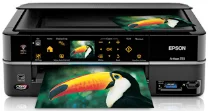
Epson Artisan 725 Printer Software and Drivers for Windows and macOS.
Supported Microsoft Windows Operating Systems
Windows 11
Windows 10 (32-bit and 64-bit)
Windows 8.1 (32-bit and 64-bit)
Windows 8 (32-bit and 64-bit)
Windows 7 (32-bit and 64-bit)
Windows Vista (32-bit and 64-bit)
Windows XP (32-bit and 64-bit)
Supported OS: Windows 11, Windows 10 32-bit and 64-bit, Windows 8.1 32-bit and 64-bit, Windows 8 32-bit and 64-bit
This driver package installer contains the following items:
- Printer Driver
- Scanner Driver
- Status Monitor
- Event Manager
- Network Installer
Supported OS: Windows 7 32-bit and 64-bit, Windows Vista 32-bit and 64-bit, Windows XP 32-bit and 64-bit
This driver package installer contains the following items:
- Printer Driver
- Scanner Driver
- Status Monitor
- Event Manager
- Network Installer
Supported OS: Windows 10 32-bit, Windows 8.1 32-bit, Windows 8 32-bit
Supported OS: Windows 11, Windows 10 64-bit, Windows 8.1 64-bit, Windows 8 64-bit
Supported OS: Windows 7 32-bit, Windows XP 32-bit, Windows Vista 32-bit
Supported OS: Windows 7 64-bit, Windows Vista 64-bit, Windows XP 64-bit
Supported OS: Windows 11, Windows 10 32-bit and 64-bit, Windows 8.1 32-bit and 64-bit, Windows 8 32-bit and 64-bit, Windows 7 32-bit and 64-bit, Windows Vista 32-bit and 64-bit, Windows XP 32-bit and 64-bit
Supported macOS Operating Systems
macOS Ventura 13
macOS Monterey 12
macOS Big Sur 11
macOS Catalina 10.15
macOS Mojave 10.14
macOS High Sierra 10.13
macOS Sierra 10.12
OS X El Capitan 10.11
OS X Yosemite 10.10
OS X Mavericks 10.9
OS X Mountain Lion 10.8
Mac OS X Lion 10.7
Mac OS X Snow Leopard 10.6
Mac OS X Leopard 10.5
Supported OS: macOS Mojave 10.14, macOS Catalina 10.15, macOS Big Sur 11, macOS Monterey 12
Supported OS: Mac OS X Leopard 10.5, Mac OS X Snow Leopard 10.6, Mac OS X Lion 10.7, OS X Mountain Lion 10.8, OS X Mavericks 10.9, OS X Yosemite 10.10, OS X El Capitan 10.11, macOS Sierra 10.12, macOS High Sierra 10.13, macOS Mojave 10.14, macOS Catalina 10.15, macOS Big Sur 11, macOS Monterey 12, macOS Ventura 13
Supported OS: Mac OS X Leopard 10.5, Mac OS X Snow Leopard 10.6, Mac OS X Lion 10.7, OS X Mountain Lion 10.8, OS X Mavericks 10.9, OS X Yosemite 10.10, OS X El Capitan 10.11, macOS Sierra 10.12, macOS High Sierra 10.13, macOS Mojave 10.14
Epson Artisan 725 Specifications
The Epson Artisan 725 is the perfect marriage of form and function. Dressed in a clean and smooth arctic white exterior, it perfectly blends modern beauty and elegance. Also, the famous Artisan family tree has a good reputation for printing photos. Olivia says, “We prioritize producing stunning images while maintaining accurate color integrity.” With its 6-color Claria Hi-Definition ink system, the Artisan 725 can produce richer images and longer-lasting prints than generic drugstore prints; it resists fading much better over time.
In terms of performance, the Artisan 725 is very versatile. It performs print functions and scanning and copying, making it a valuable tool at home or in the office. It features an intuitive touch control interface, and in the age when instant images are getting ever higher — being able to print directly from a camera or mobile device with either PictBridge or Wi-Fi is remarkably clever. A considerable boon to those who care about paper waste is the machine’s automatic duplexing capability. On the other hand, it could be a better experience for users; although it has a rich set of features, some have found setup- particularly the network- to be a hassle. At the same time, the printer sometimes takes a long time to ready itself before it will start printing.
Cost efficiency is an essential factor for any long-term investment, and the Artisan 725 approaches consumables like its siblings in this respect, too. Ink costs might add up, particularly for high-volume users. It all comes down to these cartridge prices and how often you have to replace them. Nevertheless, despite the potential expense of ink, the Artisan 725 has standout print output and many features. It is beautiful to users who demand better photo printing and appreciate the additional creative functions it offers.