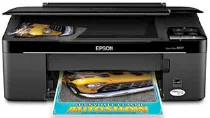
Epson Stylus NX125 Printer Software and Drivers for Windows and Macintosh OS.
Microsoft Windows Supported Operating System
Windows 11 (64 bit)
Windows 10 (32/64 bit)
Windows 8.1 (32/64 bit)
Windows 8 (32/64 bit)
Windows 7 SP1 (32/64bit)
Windows Vista SP2 (32/64bit)
Windows XP SP3 (32/64bit)
supported os: Windows 10 32-bit, Windows 8.1 32-bit, Windows 8 32-bit
This driver package installer contains the following items:
- Printer Driver
- Scanner Driver
- Epson Status Monitor
- Event Manager
supported os: Windows 11, Windows 10 64-bit, Windows 8.1 64-bit, Windows 8 64-bit
This driver package installer contains the following items:
- Printer Driver
- Scanner Driver
- Epson Status Monitor
- Event Manager
supported os: Windows 7 32-bit, Windows Vista 32-bit, Windows XP 32-bit
This driver package installer contains the following items:
- Printer Driver
- Scanner Driver
- Epson Status Monitor
- Event Manager
supported os: Windows 7 64-bit, Windows Vista 64-bit, Windows XP 64-bit
This driver package installer contains the following items:
- Printer Driver
- Scanner Driver
- Epson Status Monitor
- Event Manager
supported os: Windows 10 32-bit, Windows 8.1 32-bit, Windows 8 32-bit
supported os: Windows 10 64-bit, Windows 8.1 64-bit, Windows 8 64-bit
supported os: Windows 7 32-bit, Windows Vista 32-bit, Windows XP 32-bit
supported os: Windows 7 64-bit, Windows Vista 64-bit, Windows XP 64-bit
supported os: Windows 11, Windows 10 32-bit & 64-bit, Windows 8.1 32-bit & 64-bit, Windows 8 32-bit & 64-bit, Windows 7 32-bit & 64-bit, Windows Vista 32-bit & 64-bit, Windows XP 32-bit & 64-bit
supported os: Windows 11, Windows 10 32-bit & 64-bit, Windows 8.1 32-bit & 64-bit, Windows 8 32-bit & 64-bit, Windows 7 32-bit & 64-bit, Windows Vista 32-bit & 64-bit, Windows XP 32-bit & 64-bit
Apple Supported Operating System
Mac OS X 13 Ventura
Mac OS X 12 Monterey
Mac OS X 11 Big Sur
Mac OS X 10.15 Catalina
Mac OS X 10.14 Mojave
Mac OS X 10.13 High Sierra
Mac OS X 10.12 Sierra
Mac OS X 10.11 El Capitan
Mac OS X 10.10 Yosemite
Mac OS X 10.9 Mavericks
Mac OS X 10.8 Mountain Lion
Mac OS X 10.7 Lion
Mac OS X 10.6 Snow Leopard
Mac OS X 10.5 Leopard
supported os: MacOS Mojave 10.14, MacOS Catalina 10.15, MacOS Big Sur 11, MacOS Monterey 12, MacOS Ventura 13
supported os: Mac OS X Leopard 10.5, OS X Snow Leopard 10.6, OS X Lion 10.7, OS X Mountain Lion 10.8, OS X Mavericks 10.9, OS X Yosemite 10.10, OS X El Capitan 10.11, MacOS Sierra 10.12, MacOS High Sierra 10.13, MacOS Mojave 10.14
supported os: Mac OS X Leopard 10.5, OS X Snow Leopard 10.6, OS X Lion 10.7, OS X Mountain Lion 10.8, OS X Mavericks 10.9, OS X Yosemite 10.10, OS X El Capitan 10.11, MacOS Sierra 10.12, MacOS High Sierra 10.13, MacOS Mojave 10.14, MacOS Catalina 10.15, MacOS Big Sur 11, MacOS Monterey 12, MacOS Ventura 13
Epson Stylus NX125 Specifications
The Epson Stylus NX125 is a budget all in one printer that provides daily printing service. It therefore computers reasonably well with home users that need something with good basic features not the advanced model whose functions are mere frills. The unit is user-friendly and straightforward to install and use. It is best for those who prefer something other than technology’s finer points. Because it is such a small size, it makes no fuss about fitting over or around anything else in cramped quarters good news for anyone squeezed for space in their home. It suffices to clean up documents.
Compared to other printers in the same class, the Stylus NX125 is relatively slow and laborious. That could be another drawback for some users because when you want to print out large amounts of something like contracts or research at once (for instance), speed is all important. A final point to ponder is the ink consumption since the printer uses individual cartridges for each color. With one punch, it’s convenient replace whatever runs out, and it saves money. But on the other hand, even if you only print in color, the total cost of ink for the NX125 may go sky-high. It can’t handle the latest wireless printing technology. Consequently, this is just a piece of hardware getting outmoded with the times.
To sum up, for people with minimal printer needs who want a low cost, no spangled option, the Epson Stylus NX125 will fit most comfortably. Easily set up and operated, it offers a hassle free print of the occasional document or photo. But may need more than this model for those who need more demanding print work or want more than better-quality printing. When you’re considering buying a printer like this, then. Think about the number and quality of your output and how much you care about when you purchase one such as these budget-friendly printers.