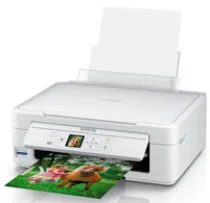
Epson Expression Home XP-314 Printer Software and Drivers for Windows and Macintosh OS.
Microsoft Windows Supported Operating System
Windows 11 (64 bit)
Windows 10 (32/64 bit)
Windows 8.1 (32/64 bit)
Windows 8 (32/64 bit)
Windows 7 SP1 (32/64bit)
Windows Vista SP2 (32/64bit)
Windows XP SP3 (32/64bit)
supported os: Windows 10 32-bit, Windows 8.1 32-bit, Windows 8 32-bit, Windows 7 32-bit, Windows Vista 32-bit, Windows XP 32-bit
supported os: Windows 11, Windows 10 64-bit, Windows 8.1 64-bit, Windows 8 64-bit, Windows 7 64-bit, Windows Vista 64-bit, Windows XP 64-bit
supported os: Windows 11, Windows 10 32-bit & 64-bit, Windows 8.1 32-bit & 64-bit, Windows 8 32-bit & 64-bit, Windows 7 32-bit & 64-bit, Windows Vista 32-bit & 64-bit, Windows XP 32-bit & 64-bit
supported os: Windows 10 32-bit, Windows 8.1 32-bit, Windows 8 32-bit, Windows 7 32-bit, Windows Vista 32-bit, Windows XP 32-bit
supported os: Windows 11, Windows 10 64-bit, Windows 8.1 64-bit, Windows 8 64-bit, Windows 7 64-bit, Windows Vista 64-bit, Windows XP 64-bit
Apple Supported Operating System
Mac OS X 13 Ventura
Mac OS X 12 Monterey
Mac OS X 11 Big Sur
Mac OS X 10.15 Catalina
Mac OS X 10.14 Mojave
Mac OS X 10.13 High Sierra
Mac OS X 10.12 Sierra
Mac OS X 10.11 El Capitan
Mac OS X 10.10 Yosemite
Mac OS X 10.9 Mavericks
Mac OS X 10.8 Mountain Lion
Mac OS X 10.7 Lion
Mac OS X 10.6 Snow Leopard
supported os: Mac OS X Snow Leopard 10.6, OS X Lion 10.7, OS X Mountain Lion 10.8, OS X Mavericks 10.9, OS X Yosemite 10.10, OS X El Capitan 10.11, MacOS Sierra 10.12, MacOS High Sierra 10.13, MacOS Mojave 10.14, MacOS Catalina 10.15, MacOS Big Sur 11, MacOS Monterey 12, MacOS Ventura 13
supported os: Mac OS X Snow Leopard 10.6, OS X Lion 10.7, OS X Mountain Lion 10.8, OS X Mavericks 10.9, OS X Yosemite 10.10, OS X El Capitan 10.11, MacOS Sierra 10.12, MacOS High Sierra 10.13, MacOS Mojave 10.14, MacOS Catalina 10.15
supported os: Mac OS X Snow Leopard 10.6, OS X Lion 10.7, OS X Mountain Lion 10.8, OS X Mavericks 10.9, OS X Yosemite 10.10, OS X El Capitan 10.11, MacOS Sierra 10.12, MacOS High Sierra 10.13, MacOS Mojave 10.14, MacOS Catalina 10.15, MacOS Big Sur 11, MacOS Monterey 12, MacOS Ventura 13
Epson Expression Home XP-314 Specifications
The Epson Expression Home XP-314 is an all-in-one inkjet printer for everyday tasks. The small size fits easily into tight spots at work, this is a boon for households with no space for a large office machine. Its compact case includes reverse copy and scanning features, which could satisfy the average household’s needs. For people who hate complications, it has a straightforward setup. Furthermore, it offers Wi-Fi connectivity, allowing users to print from several devices simultaneously without messy cables, providing a convenience that benefits you wherever life happens in your house.
For its product level, the XP-314 turned out well. In a word, text documents are plain to read and relatively simple as a rule. Yet, they need to be more sharp for professional business use where a strong impression is necessary. In the photo print category, too, the XP-314 trudges around. It is not up to the high standards of dedicated photo printing machines, but it is OK for home photo printing at leisure. The printing speed is medium neither fast nor slow. However, it should be adequate for moderate users with different printing needs.
A drawback of the XP-314 may be its ink cost. A plus about this printer is that it uses individual ink cartridges, but some say this is also a disadvantage. On the one hand, you replace only what you use, on the other, heavy printing can lead to a rapid replacement cycle. This coach may raise operating costs in the long run. The Wi-Fi feature is convenient, however, it does not allow for such advanced functions as printing from mobile apps, which could put off some people. There are lots of reasons to believe the Epson Expression Home XP-314. If you need a printer for home, use some simplicity, but you don’t have high-end requirements or a massive need for excellence in print results.