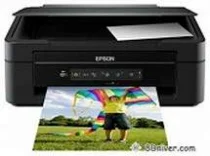
Epson Expression Home XP-207 Printer Software and Drivers for Windows and macOS.
Supported Microsoft Windows Operating Systems
Windows 10 (32-bit and 64-bit)
Windows 8.1 (32-bit and 64-bit)
Windows 8 (32-bit and 64-bit)
Windows 7 (32-bit and 64-bit)
Windows Vista (32-bit and 64-bit)
Windows XP (32-bit)
Supported OS: Windows 10 32-bit, Windows 8.1 32-bit, Windows 8 32-bit, Windows 7 32-bit, Windows Vista 32-bit, Windows XP 32-bit
Supported OS: Windows 10 64-bit, Windows 8.1 64-bit, Windows 8 64-bit, Windows 7 64-bit, Windows Vista 64-bit
Supported OS: Windows 10 32-bit and 64-bit, Windows 8.1 32-bit and 64-bit, Windows 8 32-bit and 64-bit, Windows 7 32-bit and 64-bit, Windows Vista 32-bit and 64-bit, Windows XP 32-bit
Supported macOS Operating Systems
macOS Catalina 10.15
macOS Mojave 10.14
macOS High Sierra 10.13
macOS Sierra 10.12
OS X El Capitan 10.11
OS X Yosemite 10.10
OS X Mavericks 10.9
OS X Mountain Lion 10.8
Mac OS X Lion 10.7
Mac OS X Snow Leopard 10.6
Mac OS X Leopard 10.5
Supported OS: OS X El Capitan 10.11
Supported OS: Mac OS X Leopard 10.5, Mac OS X Snow Leopard 10.6, Mac OS X Lion 10.7, OS X Mountain Lion 10.8, OS X Mavericks 10.9, OS X Yosemite 10.10, OS X El Capitan 10.11, macOS Sierra 10.12, macOS High Sierra 10.13, macOS Mojave 10.14, macOS Catalina 10.15
Supported OS: Mac OS X Leopard 10.5, Mac OS X Snow Leopard 10.6, Mac OS X Lion 10.7, OS X Mountain Lion 10.8, OS X Mavericks 10.9, OS X Yosemite 10.10, OS X El Capitan 10.11, macOS Sierra 10.12, macOS High Sierra 10.13, macOS Mojave 10.14, macOS Catalina 10.15
Supported OS: Mac OS X Leopard 10.5, Mac OS X Snow Leopard 10.6, Mac OS X Lion 10.7, OS X Mountain Lion 10.8, OS X Mavericks 10.9, OS X Yosemite 10.10, OS X El Capitan 10.11, macOS Sierra 10.12, macOS High Sierra 10.13, macOS Mojave 10.14, macOS Catalina 10.15
Epson Expression Home XP-207 Specifications
Epson Expression Home XP-207 all-in-one printers are a great way to bring ink-jet printing into the home. Plus, it’s an ideal solution for limited space. This printer places a premium on ease of installation and operation with wifi available so you can print from your phone or laptop without any tangling up messy cords. Aimed at performing everyday printing tasks without any complex features, the XP-207 is aimed at people looking for a budget-friendly option.
In terms of print quality, it takes a lot of work to knock the XP-207. For text documents, the output is both sharp and clear. It is a fit for the general user or a student. As for the photos on the page, they look good. They can’t match the splash of other more specialized photo printers, but they’re acceptable for a beginner. Speed differs from the XP-207’s strong suit: Users who have printing needs only at selected times and can wait a little longer until their documents and images print out will function well with it.
One thing you need to consider is the continuing price of ink. The XP-207 uses individual cartridges, and that’s an advantage; when one runs out, you need only replace the color. So this may mean some savings. Of course, if you print a lot, then the official Epson cartridges could end up costing you some real money over time. For those who are only occasional users, this might not constitute a significant concern.
To sum up, the Epson Expression Home XP-207 is an entry-level home printer that meets the basic requirements of home printing with the added convenience of wireless printing. You can’t help but be taken by it. But in one word, “price.”